


Bitcoin is the most popular cryptocurrency and if you are interested in buying Bitcoin you might be curious how you can do it with the Robinhood app. Robinhood is a free stock trading app for iPhone (and Android), but you can also use it to buy and sell some cryptocurrencies, such as Bitcoin, Ethereum, and Dogecoin, but for the purposes of our article here, we’ll focus on buying Bitcoin with Robinhood.
You may have noticed that bitcoin has received a lot of media attention lately and whether it is a new digital currency paradigm or just another cryptocurrency euphoria/mania cycle remains unclear, and the fact that even discussing this could be the famous “shoeshine” sell signal you’ve probably heard of.
A quick disclaimer to state the obvious; This article is for reference only on how to buy bitcoin with Robinhood app. This does not constitute advice or a recommendation and certainly not investment advice. Conduct your own due diligence and proceed with caution. We are not responsible for your losses and you are likely to lose money as cryptocurrencies are easily one of the most speculative and risky things on the market. Do your own research and make your own decisions, as is the case with anything else you buy.
How to buy bitcoin with Robinhood
At the time of writing, a whole bitcoin costs a whopping $47,935, err wait $46,714, err no it’s $48,481 now. The price fluctuates all the time, but regardless, we’re going to buy $1 worth of bitcoin, which obviously is a tiny fraction of one.
- Open the Robinhood app on your iPhone, iPad, or Android (download it from the App Store or their website).
- Navigate to BTC or use the search function to search for “Bitcoin” or “BTC” and tap on it
- Tap “Trade”
- Tap Buy
- Enter the amount in USD you want to buy in Bitcoin (or Dogecoin or Ethereum, etc.) and optionally tap “Order Types” to customize this (we’ll assume a standard market order).
- Tap “Verify” and confirm you’ve entered the amount you want to buy
- Swipe up to submit the order and complete the bitcoin purchase
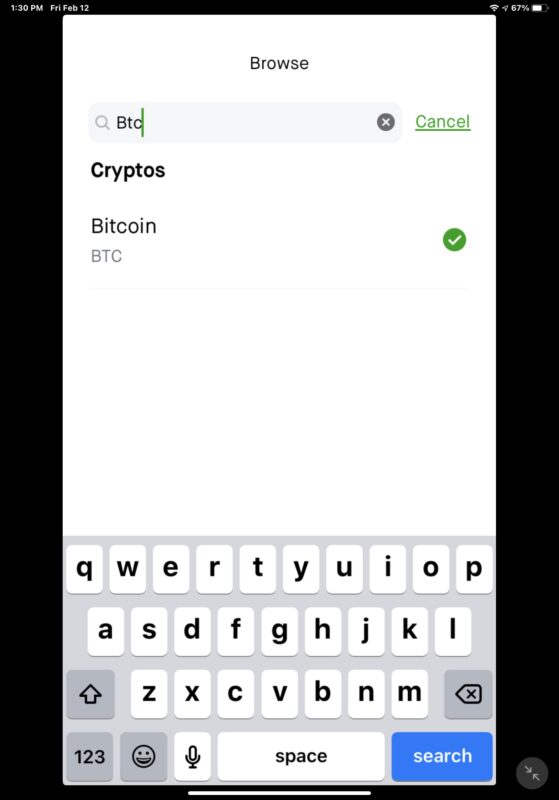
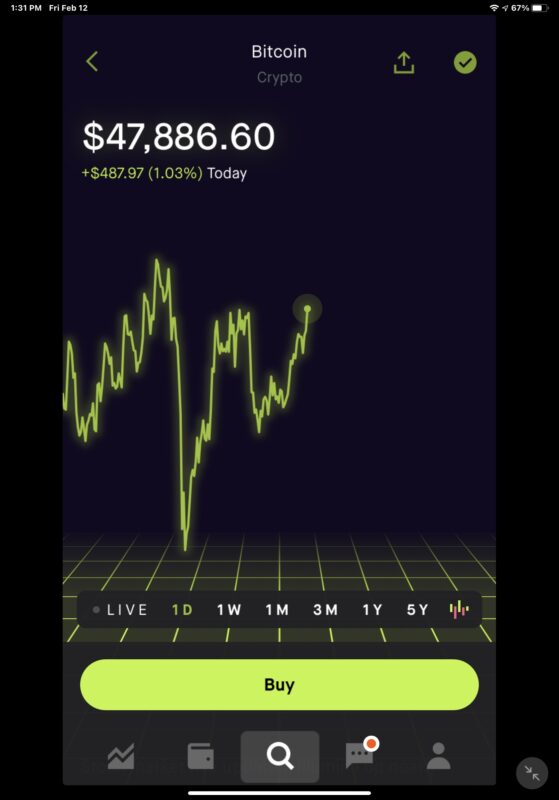
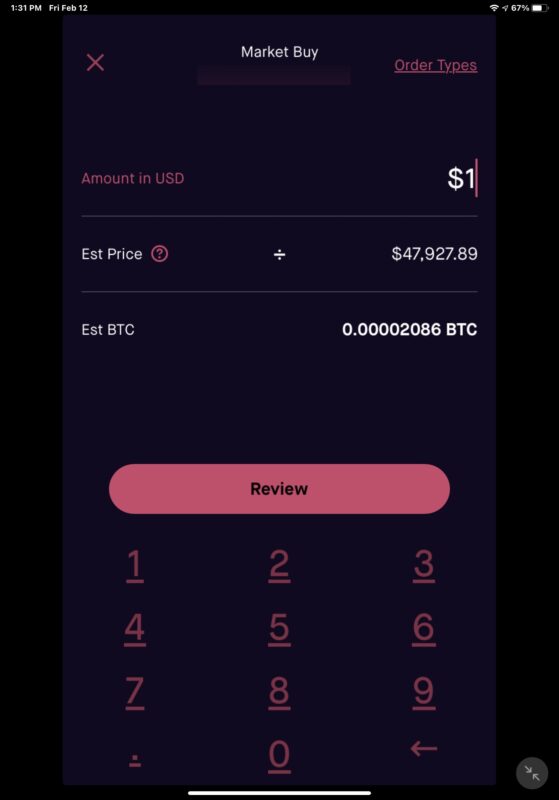
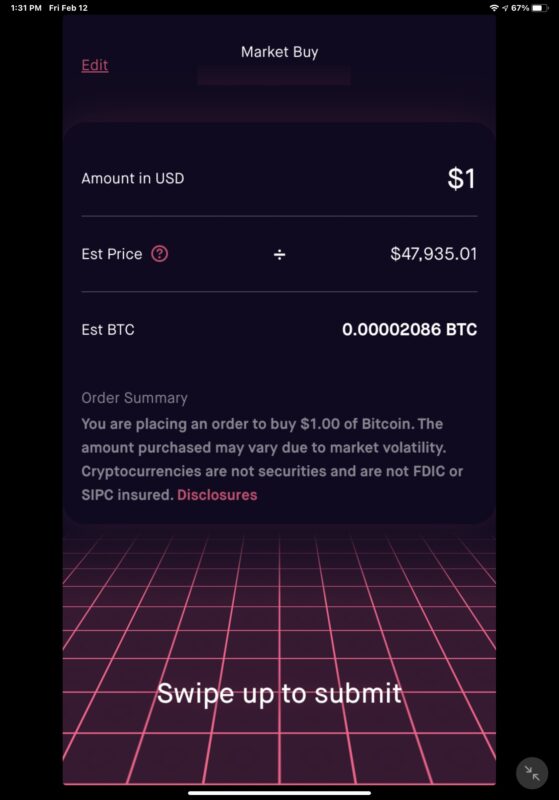
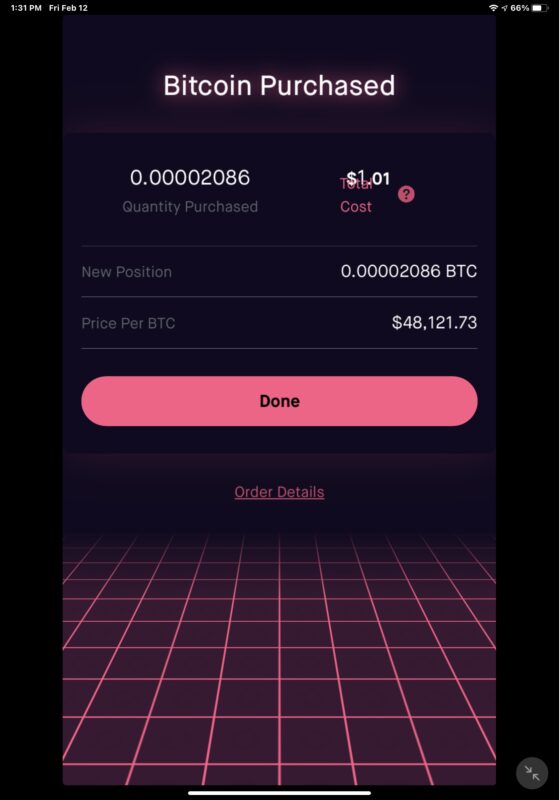
That’s it, you have now bought bitcoin. It’s that easy with Robinhood.
You can sell bitcoin basically the same way, accessing it through your Robinhood portfolio or searching for BTC and selling it through the same interface.
As mentioned, you can also buy a few other cryptocurrencies on Robinhood, including Ethereum, Ethereum Classic, Dogecoin, Bitcoin Cash, Bitcoin SV, and Litecoin, but we’re going to focus on Bitcoin here.
The world of cryptocurrencies is highly speculative, absurdly volatile and somewhat reminiscent of a horse race or a craps table in Las Vegas. So unless you are knowledgeable about gambling and losing money, you probably won’t even want to think about buying or holding cryptocurrencies. For example, the $1 bitcoin I bought to write this article is now worth $0.99 — it’s all over the place in minutes. Will your bitcoin be worthless or will it go to the moon? who really knows It’s all a bit ridiculous, but it’s definitely very much on trend and nobody knows the future.
Of course, Robinhood isn’t the only app that lets you buy and sell bitcoin, you can do the same with PayPal, Coinbase, and other apps. But Robinhood is pretty simple and very popular, so that’s where the focus is.
Anyway, now you know how this works with Robinhood.
Related
Learn Crypto Trading, Yield Farms, Income strategies and more at CrytoAnswers
https://nov.link/cryptoanswers
Comments are closed.